 By James Purse, Director at Project7 · Last reviewed 13 November 2026 · 9 minute read
Short answer. To run a Lean simulation workshop, put four to eight people on a simulated production line, let them run it the wasteful way first, then improve it one Lean idea at a time and debrief each round against the numbers. In Lean Simulator a full six-shift journey fits a half day, and Evan, the built-in facilitator, runs the briefings and debriefs.
Key facts
- Group size: four to eight players per game. Any role nobody takes is worked by the simulation, so one learner can play alone.
- Time: each shift runs about ten minutes, with a briefing before and a debrief after. The full six-shift journey is usually a half day; two-shift journeys demonstrate a single idea.
- Equipment: a web browser on each person’s own device. No projector: every screen shows the whole factory floor.
- Location: in the same room or fully remote, alongside your usual video call.
- Facilitation: Evan carries the mechanics, the coaching and the Lean theory. You can add your own context, or take over on any screen.
What a Lean simulation workshop is for
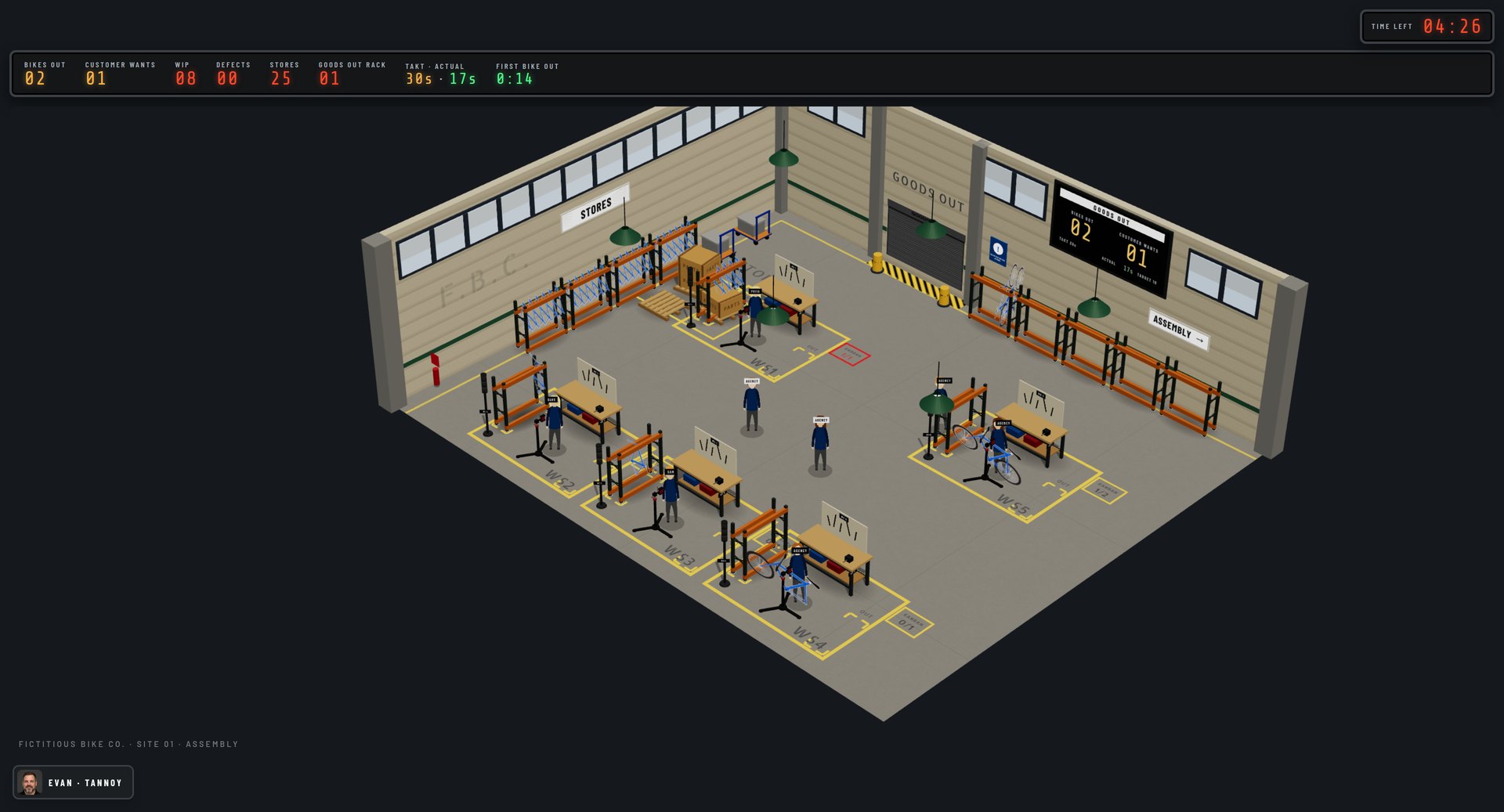
A Lean simulation workshop lets people feel the waste in a badly designed process, then feel the relief as Lean removes it. Explaining push and pull on a slide rarely changes how anyone works. Standing at a station with six half-built bikes in front of you, while the customer waits for the first one, does.
Lean Simulator puts the team on a bicycle assembly line at The Fictitious Bike Co., a plant that is not shipping enough bikes to make a profit. Across six shifts the team works through six Lean levers:
- Layout design
- Pull versus push
- One-piece flow versus batching
- Building quality in versus inspecting it out
- Line balancing
- Establishing standards, including takt time and levelled scheduling
The order matters. Shift 1 is deliberately painful, and it should stay that way. The lessons in shifts 2 to 6 land because people remember how Shift 1 felt.
Before the session
- Choose the journey. Run the full six-shift journey for a half-day workshop. For a shorter session, pick one of the two-shift journeys: Batch Size Impact or Layout and Flow.
- Choose how much you will lead. Evan can run the whole session alone, including the debriefs as reflection prompts. Or you can facilitate alongside Evan, adding examples from the group’s own operation, or read Evan’s script aloud yourself.
- Check devices. Each player needs their own laptop or tablet with an up-to-date web browser. For remote groups, keep your video call open alongside the game.
- Open a room. As host, open a game and share the game code. Players join free with the code and their email address.
- Prepare two or three examples from the group’s own workplace: where stock piles up, where people wait, where defects are found late. You will use them in the debriefs.
Running the session, shift by shift
Start with the induction, then run the six shifts in order. Each shift changes one thing about how the line works, so the team can see exactly what that change did.
Shift 0: the induction
Everyone is a new starter at the Bike Co. The induction is a practice floor with no clock and no score: one short drill per role and a ready board that shows who is set. It takes the learning curve out of the Shift 1 numbers, so the comparison between shifts is fair.
Shifts 1 to 6
| Shift | What changes on the line | Lean idea | What to watch for |
|---|---|---|---|
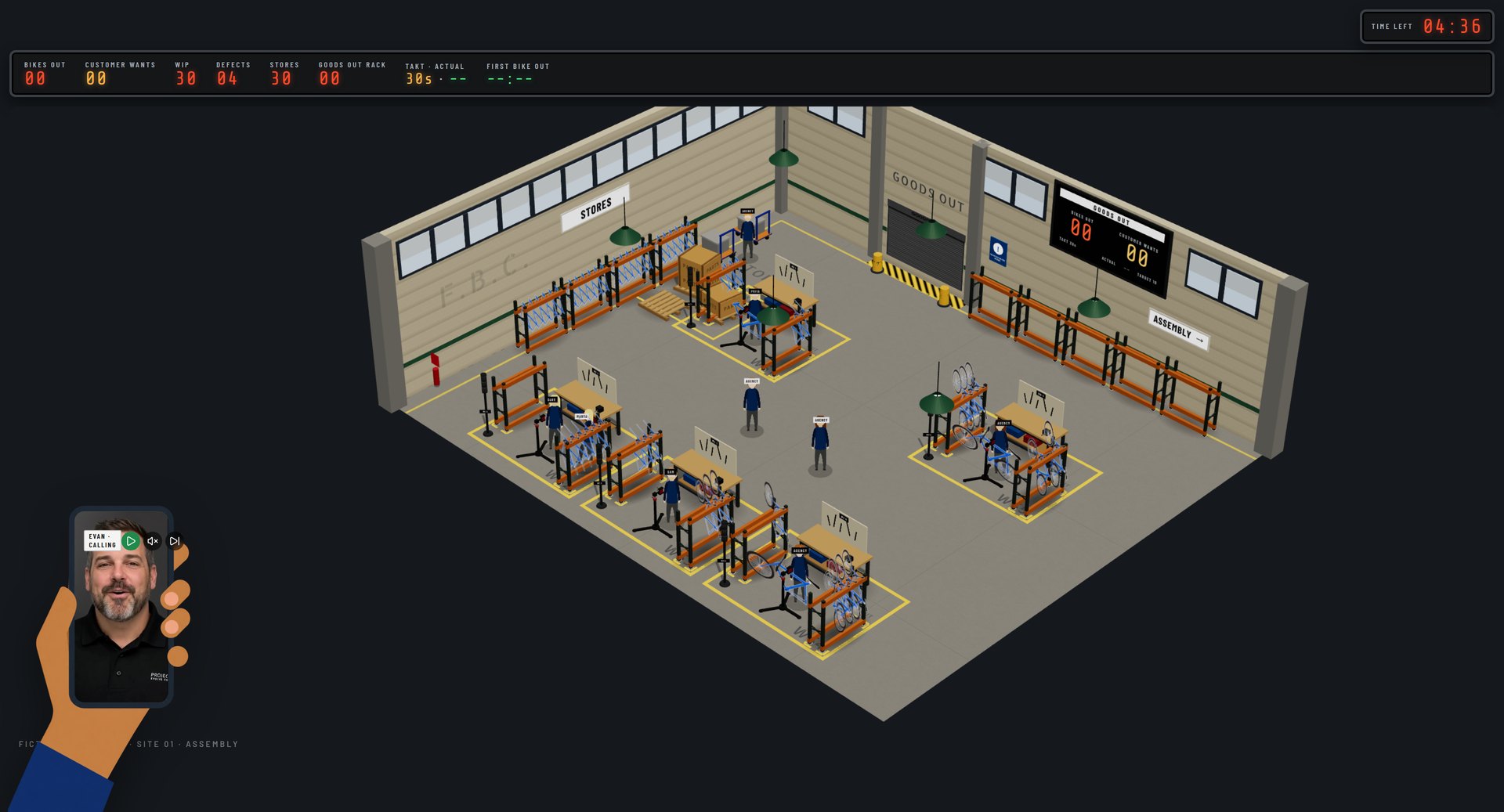
| 1. Push and Batch | Stations spread out, stores far away, batches of six. Assemblers cannot move parts or check their own work. | The starting point | Stock piling up between stations, a late first delivery, a loss on the shift |
| 2. Layout and Flow | Stations placed in process order, stores brought close, work passed directly | Layout design and flow | Less walking and handling; less floor space used |
| 3. Pull with Kanban of 3 | Kanban squares cap what each station can hold downstream | Pull versus push | People stopping when their customer needs nothing, even with parts in front of them |
| 4. One-Piece Flow and Quality at Source | Batch of one, kanban of one, and the Inspector role disappears | One-piece flow; building quality in | The tagged frame reaching Goods Out much sooner |
| 5. Balance the Line | The team rebalances work at the bottleneck station | Line balancing | Waiting time evening out across stations |
| 6. Takt and Levelled Scheduling | Demand falls by 40%; the team rebalances to three operators | Takt time, redeployment, levelled scheduling | Output per person holding up with fewer people |
How to debrief each shift
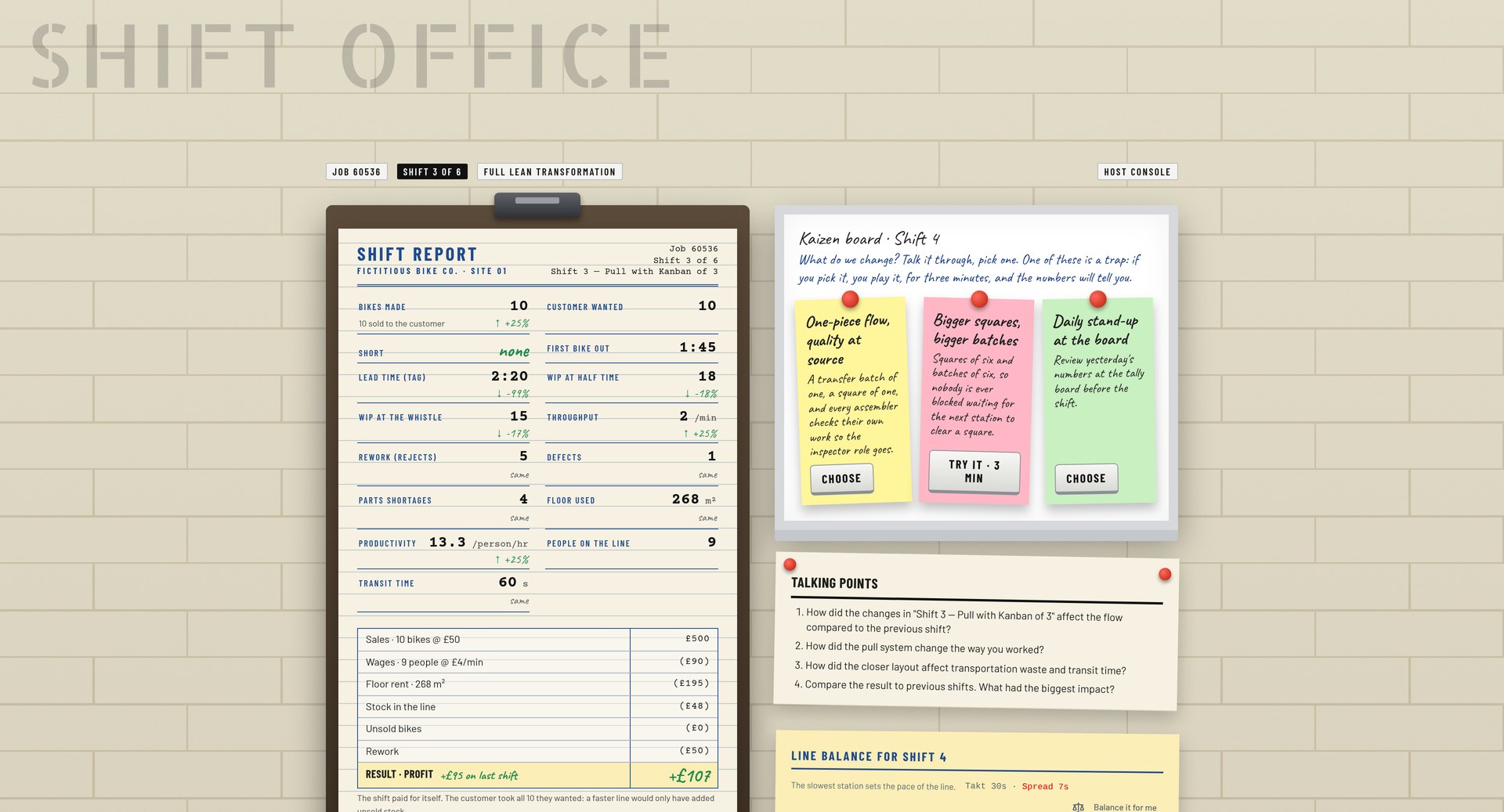
Debrief straight after each shift, while the experience is fresh. Lead with the numbers that do not depend on how fast people happened to work:
- Work in progress (WIP) at half time: how much half-built product was sitting in the line.
- First delivery: how long the customer waited for the first bike.
- Lead time of the tagged frame: a red-tagged frame enters the line one minute in and is timed at every station until it reaches Goods Out.
- Profit or loss: sales, wages, floor rent, stock in the line, unsold bikes and rework, shown as a simple statement. At a standard pace Shift 1 usually makes a loss and the redesigned line makes money from Shift 2.
Bikes made is worth showing, but treat it with care: a quick team can build more bikes in a bad system, which hides the lesson. Then ask three questions:
- Where did you wait, and what were you waiting for?
- Where did stock pile up, and who asked for it?
- Where does the same thing happen in our own operation?
Decision cards
At the end of shifts 1 to 5 the team chooses its next change from three cards: the intended Lean lever, a neutral card that sounds sensible but changes nothing, and a trap. If the team picks the trap, the line runs a three-minute detour so they can see the result, and Evan debriefs it against the shift it came from. Stocking up every station, for example, almost triples the work in progress for the same output. There is one detour per session, so the journey stays on time.
Using the host console
As host you have a console on the game and debrief screens. You do not need it to run a good session, but it lets you steer:
- I’ll take it from here stops Evan on every screen so you can talk the group through it yourself.
- Mute on my screen silences Evan for you only, useful when you are sharing your screen or presenting in the room.
- Shift clock: pause, resume, add one or three minutes, or end the round.
- Banner: push a one-line message to every screen.
- Reassign roles mid-round if someone drops out.
Moments meant for the whole room pause the shift clock automatically, so nobody misses them. During a shift Evan’s coaching is deliberately sparse: at most one prompt every 45 seconds.
Sample agendas
These are suggested plans, not fixed timings. Allow more time for debriefs with groups who want to connect the game to their own work.
| Half day, full journey (about 3.5 hours) | Short session, one idea (about 75 minutes) |
|---|---|
| Welcome, aims and joining the game: 15 min | Welcome and joining the game: 10 min |
| Shift 0 induction: 15 min | Shift 0 induction: 10 min |
| Shifts 1 to 3 with briefings and debriefs: 75 min | Round 1 and debrief: 20 min |
| Break: 15 min | Round 2 and debrief: 20 min |
| Shifts 4 to 6 with briefings and debriefs: 75 min | Wrap-up: what we will change at work: 15 min |
| Journey summary and action planning: 15 min |
Running it remotely or in a hybrid group
Lean Simulator runs in the browser, so remote and hybrid groups play exactly as a room would. Every screen shows the whole factory floor, so there is no shared screen to fight over. Keep your video call open for the debriefs, ask people to keep cameras on during discussion, and use the host banner to direct attention when the group is spread out.
Common mistakes
- Rescuing Shift 1. Do not fix the line early. The chaos is the lesson.
- Skipping the induction. Without it, Shift 1 looks bad partly because people are new to the controls, and the comparison with later shifts is weaker.
- Leading the debrief with bikes made. Start with work in progress, first delivery and lead time instead.
- Too many people in one game. Above eight, start a second game rather than doubling up on roles.
- Ending without a link to real work. Close by asking each person for one place they have seen Shift 1 in their own workplace.
Frequently asked questions
Four to eight people per game is ideal, so every role on the line has a person. With fewer, the simulation works the empty roles, so even one learner can complete the journey.
A full six-shift journey usually takes a half day. Each shift is about ten minutes on the clock plus a briefing and a debrief. Two-shift journeys take around 75 minutes.
No. Evan, the built-in facilitator, briefs each shift, coaches during it and leads the debriefs. Experienced facilitators can add their own examples or take over at any point.
Yes. Each participant plays in their own browser and sees the whole factory floor, so it works the same over a video call as in a room.
Yes. You can work one free shift on the line with Evan guiding you. It needs only an email address, with no card and no contract.
Try it before you run it
Work one shift on the line with Evan guiding you. It takes about fifteen minutes, needs only your email address, and shows you exactly what your group will experience.
Related guides
- Session plans for a Lean simulation workshop
- How to debrief a Lean simulation
- Reading the results: WIP, lead time and profit
- The six-shift journey
- How to host a Lean Simulator game
About the author
James Purse is a Director at Project7, a UK operational transformation consultancy whose approach is grounded in Toyota thinking, and has nearly 20 years of practitioner experience in Lean, leadership and performance improvement. He works with manufacturing, engineering and infrastructure organisations to find what is really limiting performance and to fix it alongside their own teams. James Purse on LinkedIn