 By James Purse, Director at Project7 · Last reviewed 13 November 2026 · 3 minute read
Short answer. To host a Lean Simulator game, sign in with a facilitator seat, open a new game and share the five-digit game code with your group. Choose the journey, assign roles in the briefing room, then follow the shifts in order while Evan briefs and debriefs. Keep your browser open throughout: the game runs from the host’s screen.
Key facts
- You need: a facilitator seat on a partner licence. Players join free.
- Journeys: the full six-shift journey, or a two-shift journey (Batch Size Impact, or Layout and Flow).
- Group size: four to eight players per game; the simulation works any empty role.
- Your controls: a host console to pause the clock, add time, take over from Evan and reassign roles.
Step by step
- Open Host Game and sign in with your email address.
- Open a new game. Add a client label if you run sessions for more than one organisation; it keeps your games on record in your site office.
- Share the five-digit game code. Players enter it on the Join Game page.
- Choose the journey: the full six shifts, or a two-shift journey for a single idea.
- In the briefing room, assign roles. Any role you leave empty is worked by the simulation.
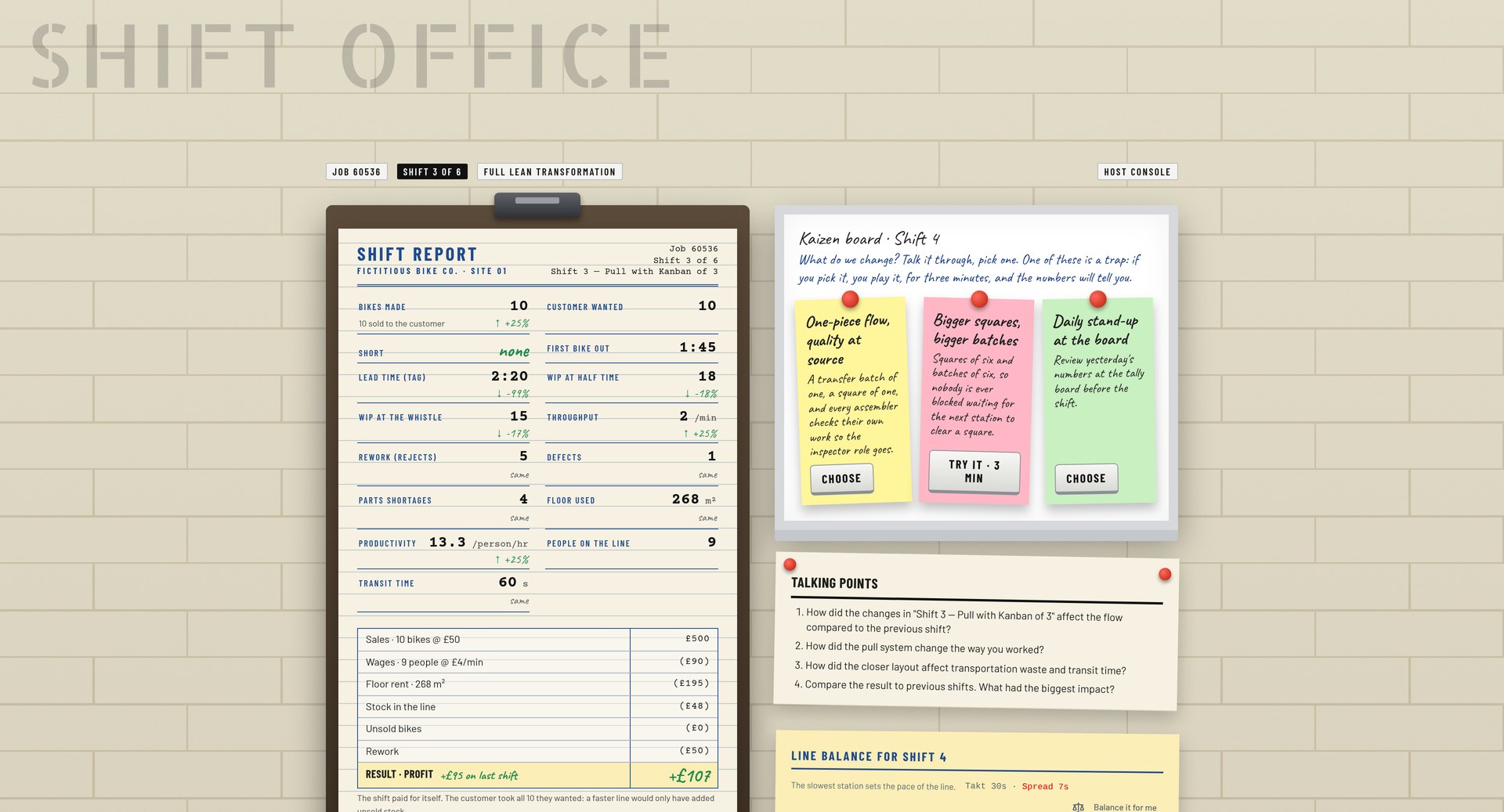
- Start the induction, then run the shifts in order. Evan briefs each shift, coaches during it and leads the debrief in the shift office.
- Finish with the journey summary, which compares every shift side by side.
Choosing how much to lead
| Mode | Who does what | Best for |
|---|---|---|
| Evan leads | Evan carries the whole session, including the debriefs as reflection prompts | Self-paced learners, or trainers new to Lean |
| You and Evan | Evan carries the mechanics and the Lean theory; you add context, stories and client specifics | Most facilitated workshops |
| You lead | Select I’ll take it from here and talk the group through it, using Evan’s script as a guide | Experienced facilitators with their own style |
The host console
- I’ll take it from here: stops Evan on every screen.
- Mute on my screen: silences Evan for you only.
- Shift clock: pause, resume, add one or three minutes, or end the round.
- Banner: push a one-line message to every screen.
- Reassign a role mid-round if someone drops out or joins late.
- Cue list: replay any of Evan’s clips to the whole room or just to yourself.
Tips for a smooth session
- Keep the host browser tab open and on a reliable connection for the whole session. The game runs from it.
- Run the induction even with experienced people. It takes the learning curve out of the Shift 1 numbers.
- Do not rescue Shift 1. The chaos is the lesson.
- Lead each debrief with work in progress, first delivery and lead time, not bikes made. See How to debrief a Lean simulation.
Frequently asked questions
A facilitator seat on a partner licence and a web browser. Players need only the game code and an email address.
A partner licence covers unlimited games. Each game needs its own host screen, so another facilitator, or a second browser you keep open, runs the second game.
Hosts follow the guided journey so results stay comparable from shift to shift. Administrators on your licence can build custom configurations.
Players can rejoin with the same game code and return to the game in progress. As host, keep your own browser tab open, because the game runs from it.
Want to host your own sessions?
Partner licences cover your facilitators, unlimited games and players who join free. Try a shift first to see what your group will experience.
Related guides
- How to run a Lean simulation workshop
- Session plans for a Lean simulation workshop
- How to debrief a Lean simulation
- How to join a Lean Simulator game
About the author
James Purse is a Director at Project7, a UK operational transformation consultancy whose approach is grounded in Toyota thinking, and has nearly 20 years of practitioner experience in Lean, leadership and performance improvement. He works with manufacturing, engineering and infrastructure organisations to find what is really limiting performance and to fix it alongside their own teams. James Purse on LinkedIn